A bounded first opportunity
A useful starting slice can cover the journey in which people open an assigned account or task and then execute approved CRM action, for one accountable user group, with exceptional cases still visible.
Service opportunity
Extend Salesforce into a mobile field or service journey while respecting platform data, permissions, offline, and release governance.
Salesforce Mobile Application Development should begin with a concrete problem for customer, sales, and service operations teams. The technology matters, but only after the workflow, constraints, and desired change are understood. A useful first conversation includes people represented by the role label “field seller or service user”, a review of how people open an assigned account or task, and evidence about duplicate field entry.

Service opportunity
Extend Salesforce into a mobile field or service journey while respecting platform data, permissions, offline, and release governance. The points below change with this specific product context; they are not a generic promise that software is always the answer.
A useful starting slice can cover the journey in which people open an assigned account or task and then execute approved CRM action, for one accountable user group, with exceptional cases still visible.
The information involved in mobile CRM workspace needs authoritative sources, permitted users, retention rules, and correction paths. The interface cannot compensate for records nobody owns.
Connections involving the systems described as “Salesforce objects and APIs” and “enterprise identity” need explicit contracts, timeouts, reconciliation, monitoring, and responsible teams when one side is unavailable.
Consider both duplicate field entry and sync conflicts requiring support when assessing the operating hypothesis. Define the baseline before development if the value case depends on improvement.
People and responsibility
A role belongs in discovery because it performs, governs, supports, or is affected by the workflow. Involving these perspectives early exposes competing definitions of success.
People represented by the role label “field seller or service user” supply real examples of how people open an assigned account or task. This helps the team decide whether standard Salesforce mobile suffices without reducing the role to a permission label.
Invite people represented by the role label “Salesforce product owner” to review scenarios in which people capture context in the field. Ask them to help decide which records may be offline and preserve disagreements as product evidence.
The role label “mobile developer” represents people who experience or own the consequences when people execute approved CRM action. Their acceptance examples clarify how CRM automation affects sync before the workflow is automated.
People represented by the role label “CRM security administrator” bring operating context to the moment when people synchronise changes. Include them when deciding who tests seasonal platform releases, especially for exceptional cases.
Workflow anatomy
The sequence below is a discovery hypothesis. Map actual triggers, information, decisions, waiting time, and exceptions with the people responsible before turning it into scope.
Treat the moment when people open an assigned account or task as a state change that should be visible to the next responsible role. Test the candidate capability “mobile CRM workspace” in a scenario involving custom UI bypassing CRM permissions, then observe duplicate field entry.
When people capture context in the field, the product must make ownership and the next valid action clear. Evaluate the candidate capability “offline record policy” against a scenario involving too many objects cached offline; sync conflicts requiring support can help test the result.
Treat the moment when people execute approved CRM action as a state change that should be visible to the next responsible role. Test the candidate capability “guided field action” in a scenario involving automation firing unexpectedly on sync, then observe core field tasks completed mobile-first.
When people synchronise changes, the product must make ownership and the next valid action clear. Evaluate the candidate capability “attachment and evidence capture” against a scenario involving managed-package limits ignored; changes rejected by validation or automation can help test the result.
Treat the moment when people resolve conflicts and report completion as a state change that should be visible to the next responsible role. Test the candidate capability “sync status and exception handling” in a scenario involving platform release changes untested, then observe duplicate field entry.
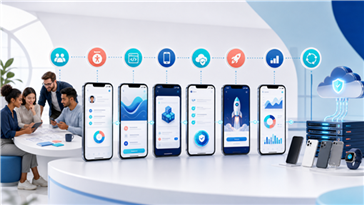
A concrete prototype brief
Prototype a sequence in which people capture context in the field and then execute approved CRM action. Include the candidate capability “mobile CRM workspace”, exchange only the minimum information required by the system described as “Salesforce objects and APIs”, and make a scenario involving custom UI bypassing CRM permissions visible.
Review the concept with representatives of the role labels “field seller or service user” and “Salesforce product owner”. The prototype should help answer the question “whether standard Salesforce mobile suffices” and produce evidence useful enough to narrow scope, choose another approach, or stop.
Product capability
These are candidate responsibilities for Salesforce Mobile Application Development, not a fixed package. Each must earn its place by improving a named workflow moment without creating disproportionate ownership.
The candidate capability “mobile CRM workspace” can support the moment when people capture context in the field. Define what information comes from the system described as “Salesforce objects and APIs”, and test a scenario involving automation firing unexpectedly on sync before accepting the capability.
The candidate capability “offline record policy” can support the moment when people execute approved CRM action. Define what information comes from the system described as “enterprise identity”, and test a scenario involving managed-package limits ignored before accepting the capability.
The candidate capability “guided field action” can support the moment when people synchronise changes. Define what information comes from the system described as “mapping or device services”, and test a scenario involving platform release changes untested before accepting the capability.
The candidate capability “attachment and evidence capture” can support the moment when people resolve conflicts and report completion. Define what information comes from the system described as “mobile release and monitoring tools”, and test a scenario involving custom UI bypassing CRM permissions before accepting the capability.
The candidate capability “sync status and exception handling” can support the moment when people open an assigned account or task. Define what information comes from the system described as “Salesforce objects and APIs”, and test a scenario involving too many objects cached offline before accepting the capability.
System boundaries
A connection is a shared operating responsibility. For Salesforce Mobile Application Development, discovery should name the authoritative source, permitted direction, latency, failure behaviour, test access, and reconciliation owner.
A connection with the system described as “Salesforce objects and APIs” may provide or receive information for mobile CRM workspace. Document identifiers and state transitions, then decide how the team detects a scenario involving custom UI bypassing CRM permissions, contains its impact, and recovers without silently losing work.
A connection with the system described as “enterprise identity” may provide or receive information for offline record policy. Document identifiers and state transitions, then decide how the team detects a scenario involving too many objects cached offline, contains its impact, and recovers without silently losing work.
A connection with the system described as “mapping or device services” may provide or receive information for guided field action. Document identifiers and state transitions, then decide how the team detects a scenario involving automation firing unexpectedly on sync, contains its impact, and recovers without silently losing work.
A connection with the system described as “mobile release and monitoring tools” may provide or receive information for attachment and evidence capture. Document identifiers and state transitions, then decide how the team detects a scenario involving managed-package limits ignored, contains its impact, and recovers without silently losing work.
Risk and governance
These are not claims of legal, regulatory, security, or domain compliance. Qualified client advisers and responsible owners must interpret applicable obligations for the actual jurisdiction and use.
A scenario involving custom UI bypassing CRM permissions could alter scope, controls, or whether automation is appropriate. Discuss the question “whether standard Salesforce mobile suffices” with people represented by the role label “field seller or service user”, then record the decision, evidence, residual risk, and review trigger.
A scenario involving too many objects cached offline could alter scope, controls, or whether automation is appropriate. Discuss the question “which records may be offline” with people represented by the role label “Salesforce product owner”, then record the decision, evidence, residual risk, and review trigger.
A scenario involving automation firing unexpectedly on sync could alter scope, controls, or whether automation is appropriate. Discuss the question “how CRM automation affects sync” with people represented by the role label “mobile developer”, then record the decision, evidence, residual risk, and review trigger.
A scenario involving managed-package limits ignored could alter scope, controls, or whether automation is appropriate. Discuss the question “who tests seasonal platform releases” with people represented by the role label “CRM security administrator”, then record the decision, evidence, residual risk, and review trigger.
A scenario involving platform release changes untested could alter scope, controls, or whether automation is appropriate. Discuss the question “whether standard Salesforce mobile suffices” with people represented by the role label “field seller or service user”, then record the decision, evidence, residual risk, and review trigger.
Outcome evidence
The measures below are hypotheses for Salesforce Mobile Application Development. PhaneLabs should publish a number only after a real baseline, method, observation period, limitations, and client permission are documented.
Observe duplicate field entry around the point where people open an assigned account or task. Define numerator, denominator, segment, and source; review whether too many objects cached offline could explain the change before attributing it to software.
Observe sync conflicts requiring support around the point where people capture context in the field. Define numerator, denominator, segment, and source; review whether automation firing unexpectedly on sync could explain the change before attributing it to software.
Observe core field tasks completed mobile-first around the point where people execute approved CRM action. Define numerator, denominator, segment, and source; review whether managed-package limits ignored could explain the change before attributing it to software.
Observe changes rejected by validation or automation around the point where people synchronise changes. Define numerator, denominator, segment, and source; review whether platform release changes untested could explain the change before attributing it to software.
The work should connect the real journey in which people open an assigned account or task to a product decision, a responsible owner, and an observable result such as duplicate field entry.
Topic-specific buyer questions
Begin by examining how people open an assigned account or task, the responsibilities represented by the role label “field seller or service user”, and the decision about whether standard Salesforce mobile suffices. A small representative example should expose a scenario involving custom UI bypassing CRM permissions before a broad commitment.
Treat Salesforce objects and APIs, enterprise identity, and mapping or device services as likely investigation points. Confirm authority, access, identifiers, limits, failure states, and ownership rather than assuming that an API makes integration simple.
Defer any capability that does not support the journey in which people open an assigned account or task and then execute approved CRM action. Keep a scenario involving too many objects cached offline visible even if its complete solution belongs to later work.
Define duplicate field entry and sync conflicts requiring support before release. Segment the evidence, preserve the source and period, and investigate whether automation firing unexpectedly on sync affected the observation.
Ask whether standard Salesforce mobile suffices; which records may be offline; how CRM automation affects sync; and who tests seasonal platform releases. The answers should change scope or testing, not merely fill a document.
Bring the operating evidence
Share examples of how people open an assigned account or task, the source behind Salesforce objects and APIs, and why a scenario involving custom UI bypassing CRM permissions matters. PhaneLabs can help frame a responsible next decision.